Connecting PKONE to your Computer
This page explains how to connect an EX2, Switch and Lightshow chain to the computer running MPF.
Connect the EX2 by USB
Connect the EX2 USB port to the computer. MPF uses the EX2 as the USB connection to the CAN chain.
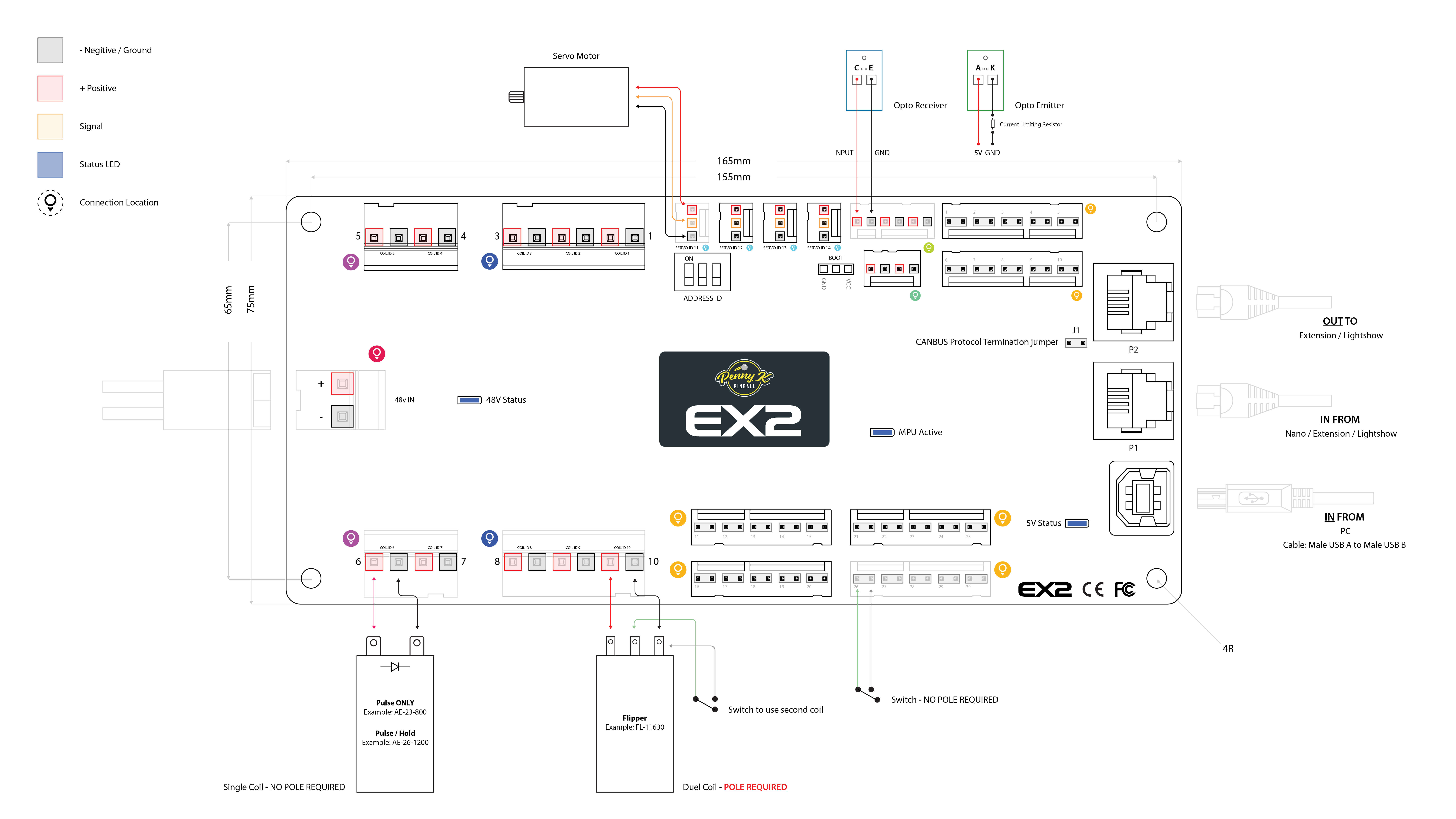
Connect the EX2 CAN OUT port to the CAN IN port of the next EX2, Switch or Lightshow board. Continue from OUT to IN until every board is in one line. Give every board a unique Address ID with its DIP switches, then restart the boards.
Notes:
- Connect the boards as one line, not as a star or loop. Fit a CAN termination jumper at each physical end of the chain. Remove it from every board in the middle. A correctly powered-down chain normally measures about 60 ohms between CAN-H and CAN-L.
- Set a unique Address ID before powering the chain. Restart a board after changing its DIP switches.
- Use firmware 3.0 or newer on EX2, Switch and Lightshow boards. The
Xused in an EX2 discovery reply is a wire-protocol identifier retained for compatibility; it does not refer to a separate board product. - EX2 and Switch addresses range from 0 to 7. Lightshow addresses range from 0 to 3.
- No two boards on the chain may use the same Address ID, even when they are different board types.
- The physical chain order does not have to match Address ID order.
Something missing or wrong? You can fix it!
This website is edited by people like you! Is something wrong or missing? Is something out of date, or can you explain it better?
Please help us! You can fix it yourself and be an official "open source" contributor!
It's easy! See our Beginner's guide to editing the docs.
Page navigation via the keyboard: < >
You can navigate this site via the keyboard. There are two modes:
General navigation, when search is not focused:
- F , S , / : open search dialog
- P , , : go to previous page
- N , . : go to next page
While using the search function:
- Down , Up : select next / previous result
- Esc , Tab : close search
- Enter : go to highlighted page in the results