How to configure switches (Penny K Pinball PKONE)
Related Config File Sections:
To configure switches with Penny K Pinball PKONE hardware, you can follow the guides and instructions in the Switches docs.
However there are a few things to know and some additional options you get with Penny K Pinball PKONE hardware that is discussed here.
number:
Switch inputs may be connected to either an EX2 or a Switch board. EX2 provides 30 standard switch inputs plus five opto inputs. The Switch board provides 40 switch inputs.
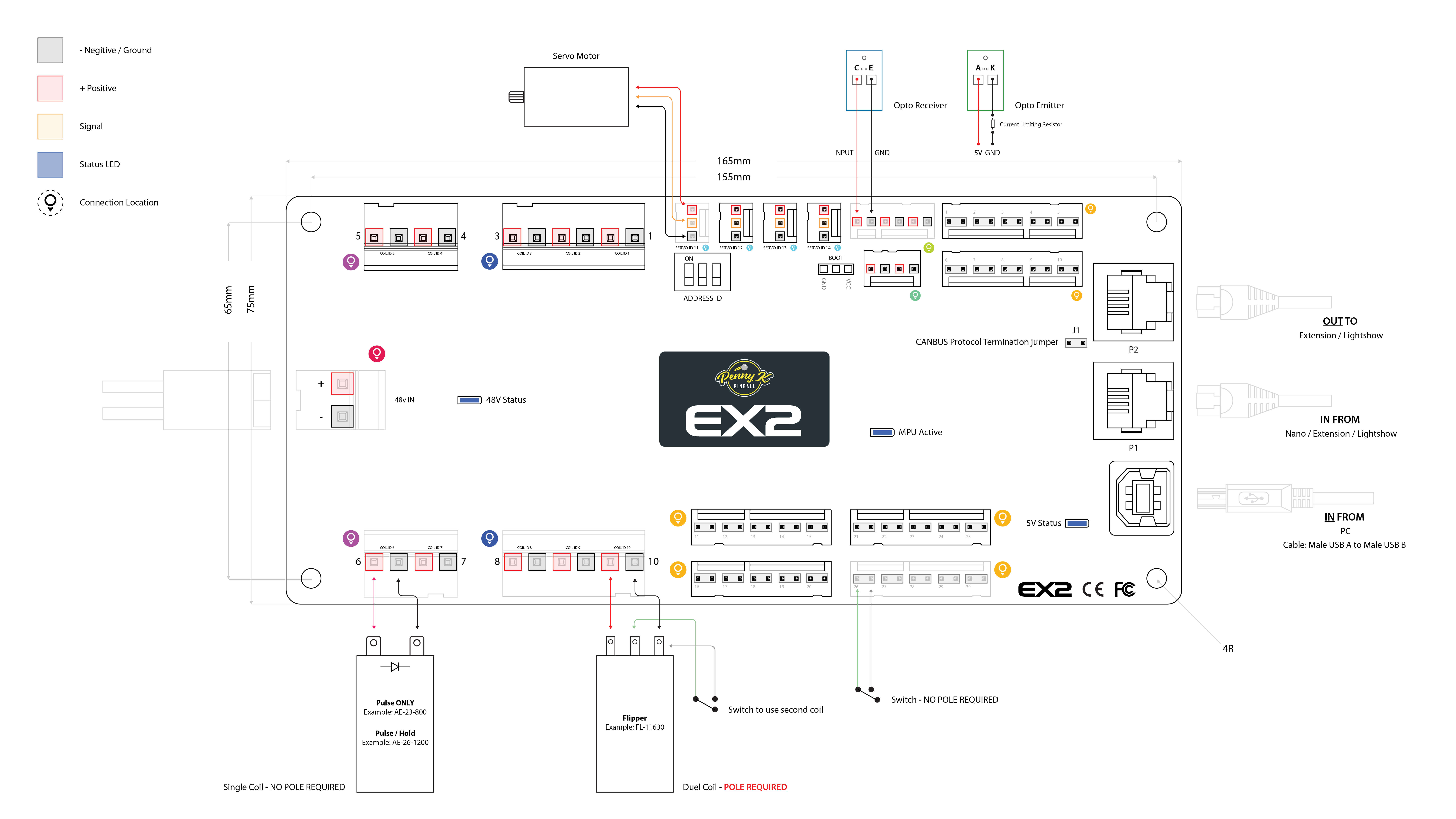
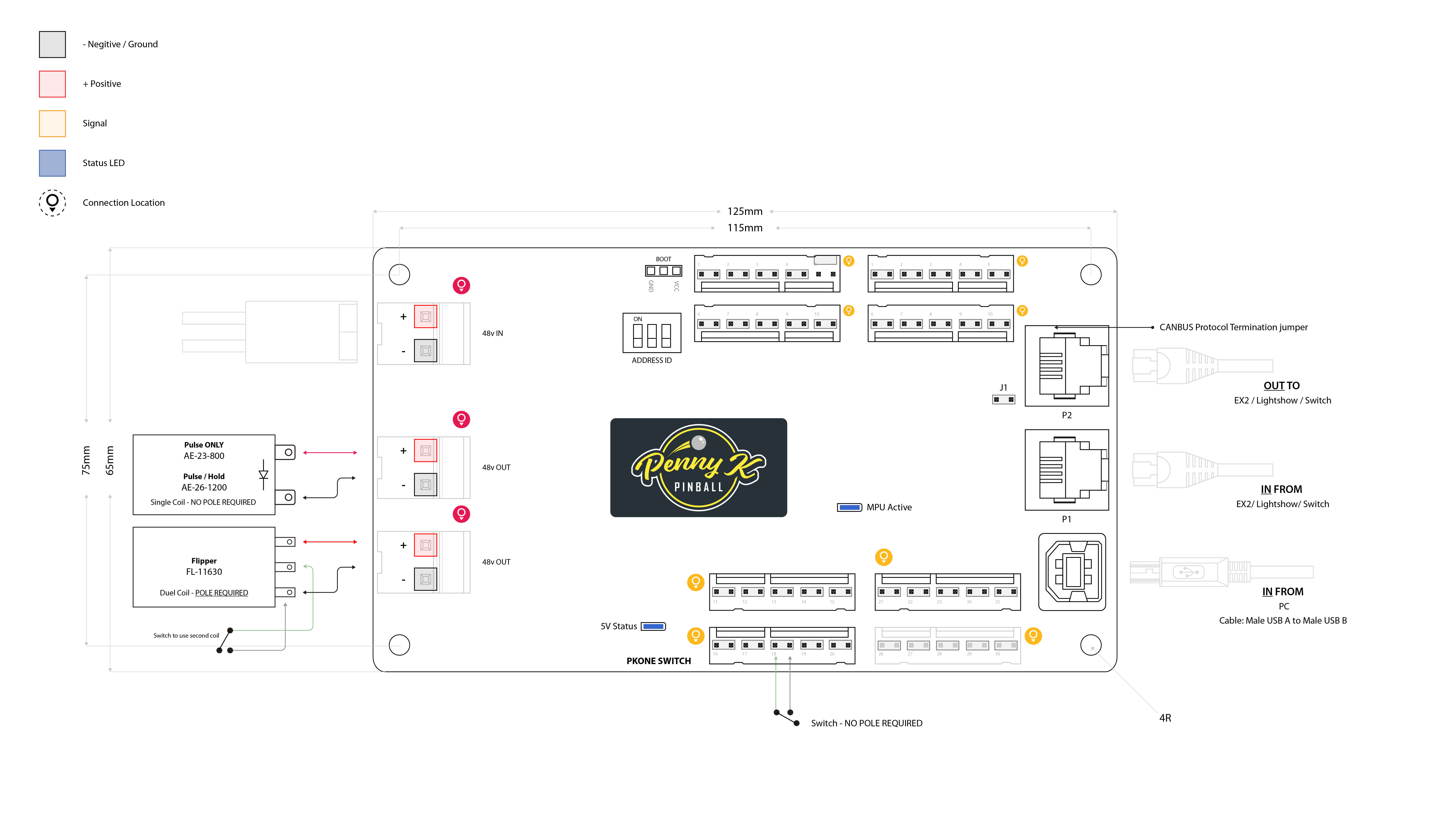
The number: setting for each switch is its board's Address ID number
in the PKONE chain, then the dash, then the switch input number. EX2 has
inputs 1-35; the Switch board has inputs 1-40.
switches:
  my_switch:
    number: 0-1    # EX2 board at address 0, switch 1
  some_other_switch:
    number: 2-24    # EX2 board at address 2, switch 24
Notes:
- The PKONE EX2 and Switch board Address ID switches can be set from 0 to 7.
- EX2 inputs 31-35 are set up in the hardware to support optos and other normally closed (NC) switches. Do not list them as NC switches in your configuration as the hardware already inverts the values before sending them to MPF.
- The Switch board reports inputs 1-40. Its two physical coil connectors are disabled by firmware 3.0 and MPF rejects attempts to configure them as coils.
What if it did not work?
Have a look at our PKONE troubleshooting guide.
Something missing or wrong? You can fix it!
This website is edited by people like you! Is something wrong or missing? Is something out of date, or can you explain it better?
Please help us! You can fix it yourself and be an official "open source" contributor!
It's easy! See our Beginner's guide to editing the docs.
Page navigation via the keyboard: < >
You can navigate this site via the keyboard. There are two modes:
General navigation, when search is not focused:
- F , S , / : open search dialog
- P , , : go to previous page
- N , . : go to next page
While using the search function:
- Down , Up : select next / previous result
- Esc , Tab : close search
- Enter : go to highlighted page in the results